Instagram SEO: How to Get Found in Search (Not Just the Feed)
Instagram has its own search engine, and since July 2025 Google indexes a slice of public posts too. Here's where your keywords actually matter.
Sep 8, 2026•9 min read
Read articleSave any Instagram DP in 3 simple steps
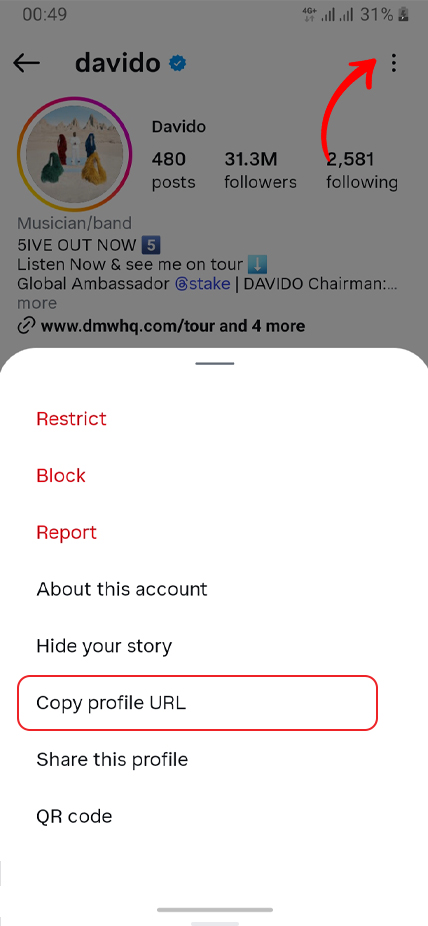
Open the profile, tap "...", then Copy profile URL (or copy the @username).
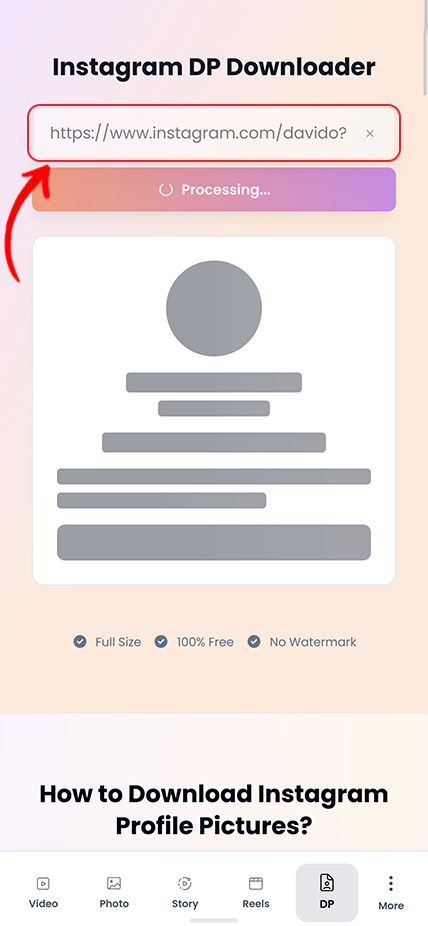
Paste the profile link/username above and tap Download.
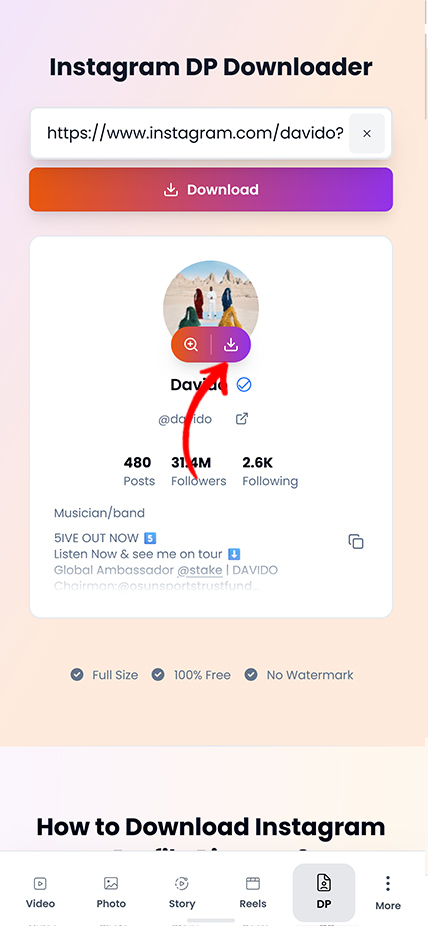
Preview the profile picture and download it in full resolution.
Practical tips and strategies to elevate your Instagram game.
Instagram has its own search engine, and since July 2025 Google indexes a slice of public posts too. Here's where your keywords actually matter.
Instagram capped hashtags at five and quietly killed hashtag-follow. Here is what that actually means, and what to use instead for the reach hashtags used to promise.
Your photo looks crisp on your phone, then Instagram serves it back soft and washed out. You can't turn compression off — but you can hand Instagram a file it barely has to touch.
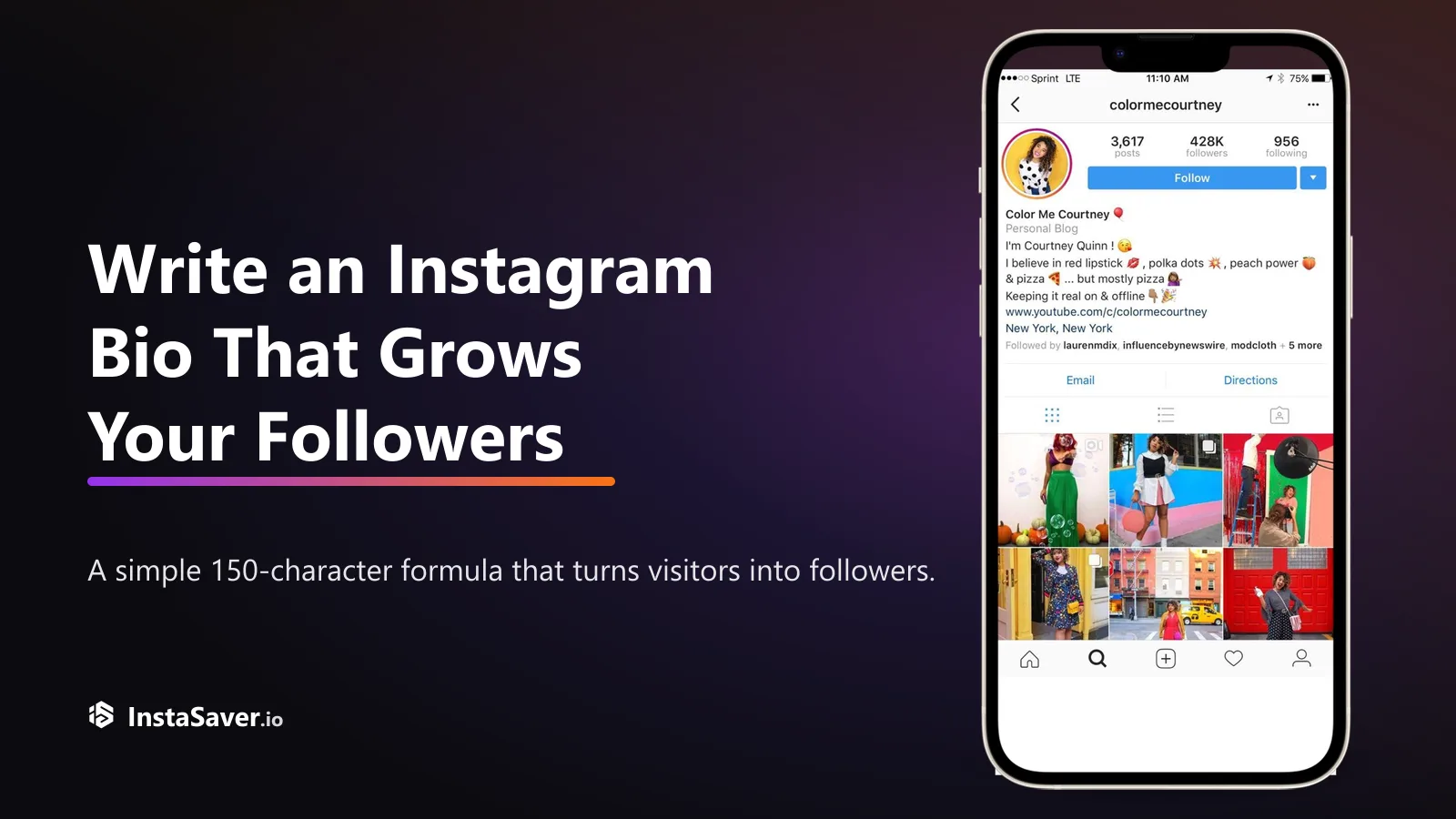
Someone lands on your profile with one question: 'why should I follow?' Your bio has about three seconds and 150 characters to answer it. Here's the formula that does.

The exact pixels for every Instagram format in 2026, and the safe zones where the app's own UI covers your content — so nothing important gets hidden behind a button.
Great captions don’t just describe the photo — they give people a reason to reply. Here’s the hook-body-CTA recipe, with real before-and-after rewrites.
Use this page when Instagram's tiny circular avatar is not enough and you need the best available profile image.

The downloader fetches the clearest profile photo Instagram makes available, which is more useful than the small thumbnail shown on profile pages.

Useful when you need to check a profile image quickly, confirm the right account, and keep a local copy without extra steps.

Works well when you are building contact sheets, checking brand assets, or keeping public profile images for internal reference.

Use a public username or profile URL to open the larger profile image without depending on Instagram's small in-app preview.

For public profile photos, you can start from the username or profile link without creating an Insta Saver account first.

This page is most helpful when you need a clearer look at logos, faces, or branding than the default circular avatar can provide.
Trusted by thousands who need high-quality profile pictures
"Perfect for getting high-res profile pictures for design projects! The full-size quality is exactly what I need. No more blurry screenshots!"
Quinn Davis
Graphic Designer
"When building team directories, I need clear profile photos. This tool delivers crisp, professional-quality DPs every time. Super useful for documentation!"
Remy Wilson
HR Professional
"Archiving influencer profile pictures for campaign tracking is seamless now. The original quality preservation is impressive. Highly recommended!"
Blake Martinez
Social Media Manager
"Creating speaker profiles and badges requires high-quality photos. This DP downloader saves me so much time with instant, full-resolution downloads!"
Jules Anderson
Event Coordinator
"Analyzing brand visual identities starts with their profile picture. This tool gives me perfect quality images for my research presentations. Excellent!"
Ari Thompson
Brand Researcher
"Adding profile pictures to my CRM has never been easier! One click and I have a high-quality DP ready to use. Simple and effective tool!"
Eden Brown
Contact Manager
Common questions about downloading Instagram profile photos
Instagram profile pictures are usually shown as tiny thumbnails. This page is for pulling up the larger version when you need a clearer public profile image for review or reference.
A small circular avatar is often enough for casual browsing, but not for real review. If you need to confirm identity, check a logo, or keep a cleaner reference image, the thumbnail view is too limited.
That makes a DP viewer useful for brand checks, contact directories, speaker lists, creator verification, and other cases where the profile image needs to be seen more clearly.
When this page helps most
This page is focused on the profile picture itself. If you need posts, reels, stories, or highlights from the same account, the profile tool is usually the better next step.
Keeping the DP flow separate makes the job simpler: one profile image, clearer preview, straightforward save.
What this page is best at
A username or full profile URL is usually the best input for a profile photo lookup. That gives the tool the clearest route to the account and its current public avatar.
If the preview looks wrong or outdated, recopy the profile link directly from Instagram and try again. Shared links with extra characters can point to the wrong account or stale cached data.
Before you download
Downloading a public profile image does not transfer ownership or create permission for wider reuse. If you plan to publish or reuse a DP commercially, attribution and permission still matter.
This tool is best used for review, reference, and other legitimate workflows involving public profile images you are allowed to view.
Good practice
Save any Instagram profile photo in original quality-fast, free, and without watermarks.